Bullet
목적
XY Chart 또는 Radar Chart에서 Bullet을 생성하고, 각 BulletItem의 속성과 설정 방법을 설명
주요 단계
1. Bullet 생성
o XY Chart 또는 Radar Chart의 LineItems / BarItems의 하위 Aggregation에서 사용함
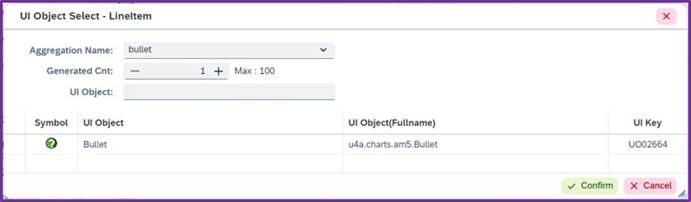
<사진 1> Bullet 추가 화면
2. Bullet Properties, Aggregations
2.1. 주요 Properties
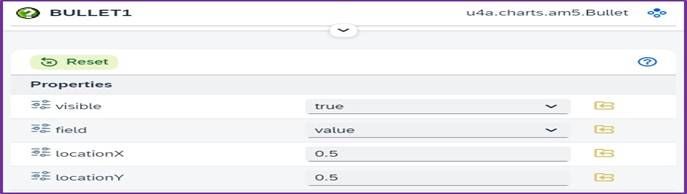
<사진 2> Bullet Properties
| Name | Description |
|---|---|
| visible | Bullet 표시 여부 |
| locationX | X축 위치 조정 (0~1 범위) |
| locationY | Y축 위치 조정 (0~1 범위) |
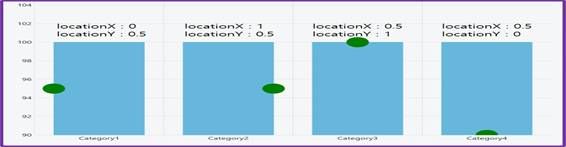
<사진 3> Bullet Properties locationX, locationY 비교 화면
2.2. 주요 Aggregations

<사진 4> Bullet Aggregations
| Name | Description |
|---|---|
| bulletItem | Bullet의 개별 항목을 정의 |
3. BulletItem Circle
o 원 형태의 Bullet
3.1. 주요 Properties
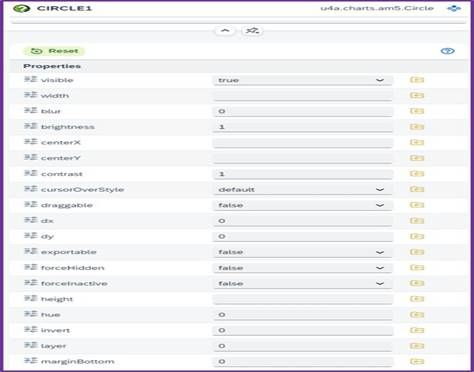
<사진 5> Circle Properties
| Name | Description |
|---|---|
| visible | Bullet 표시 여부 |
| fill | 색상 설정 |
| radius | 원의 반지름 크기 설정 |
| centerY | Y축 중심 위치 설정 |
4. BulletItem Rectangle
o 사각형 형태의 Bullet
4.1. 주요 Properties
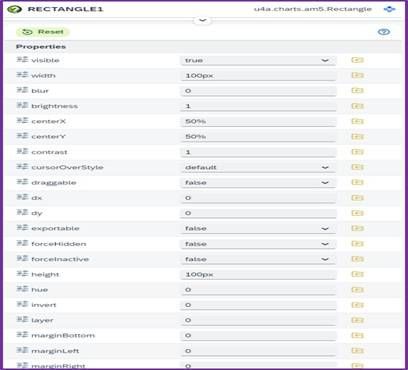
<사진 6> Rectangle Properties
| Name | Description |
|---|---|
| visible | Bullet 표시 여부 |
| width | Bullet 좌우 크기 (e.g. 20px) |
| height | Bullet 높이 크기 (e.g. 20px) |
| centerX | X축 중심 위치 설정 |
| centerY | Y축 중심 위치 설정 |
| fill | 색상 설정 |
5. BulletItem Triangle
o 삼각형 형태의 Bullet
5.1. 주요 Properties
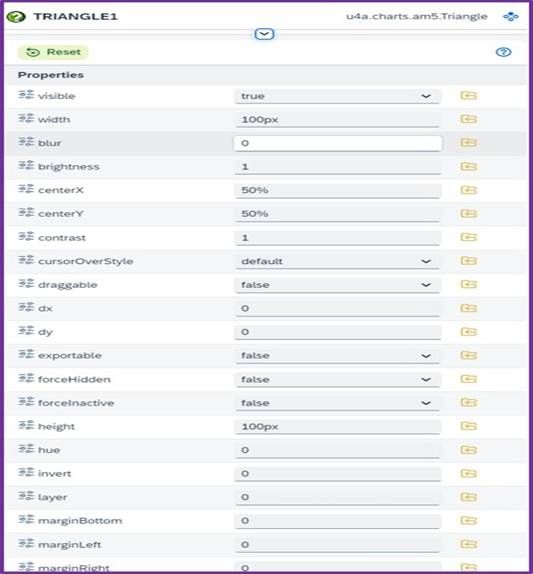
<사진 7> Triangle Properties
| Name | Description |
|---|---|
| visible | Bullet 표시 여부 |
| width | Bullet 좌우 크기 (e.g. 20px) |
| height | Bullet 높이 크기 (e.g. 20px) |
| centerX | X축 중심 위치 설정 |
| centerY | Y축 중심 위치 설정 |
| fill | 색상 설정 |
6. BulletItem Label
o Bullet으로 Label Text를 입력
6.1. 주요 Properties
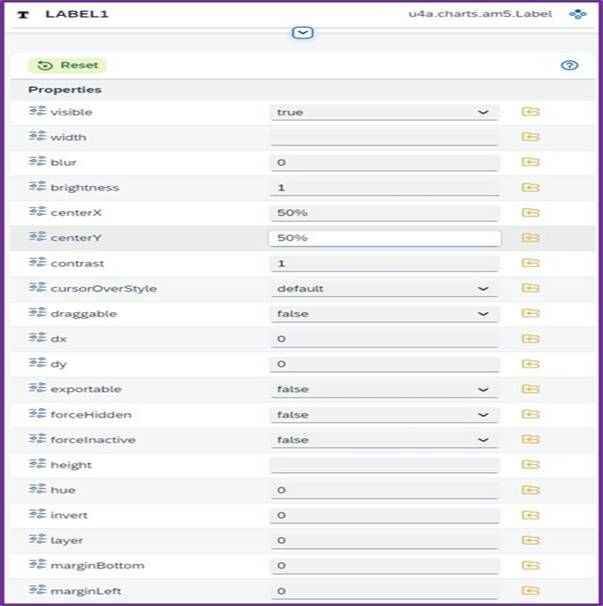
<사진 8> Label Properties
| Name | Description |
|---|---|
| visible | Bullet 표시 여부 |
| centerX | X축 중심 위치 설정 |
| centerY | Y축 중심 위치 설정 |
| fill | Text 색상 |
| baselineRatio | 기준선 비율 조정 (기본값 0.19) |
| fontSize | Label 글자 크기 설정 |
| fontWeight | Label 글자 두께 설정 (bold, normal 등) |