RadioButton
목적
미리 정의된 옵션 집합 중 하나만 선택할 수 있도록 RadioButton을 사용한다.
주요 단계
1. RadioButton 생성
1.1. RadioButton을 원하는 위치에 생성
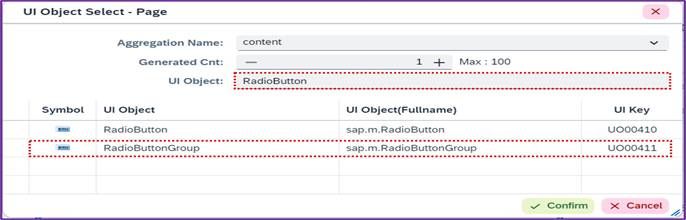
<사진 1> "RadioButton" UI 생성창
2. Properties 설정
2.1. RadioButton 생성 후 Properties에 원하는 기능 추가 가능
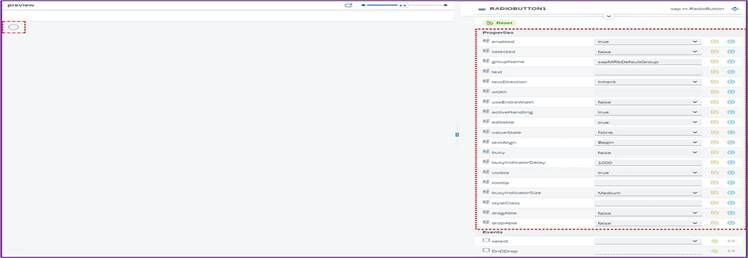
<사진 2> "RadioButton" Property 화면
2.2. 주요 옵션
| Name | Description |
|---|---|
| text | RadioButton 옆에 표시될 텍스트 입력 |
| selected | true: 처음부터 선택 상태 false: 선택 해제 상태 |
| width | RadioButton의 가로폭 조정 (단위: px, em, %) |
| visible | true: RadioButton 보임 false: RadioButton 숨김 |
3. Event 설정
3.1. RadioButton 클릭 시 이벤트 수행
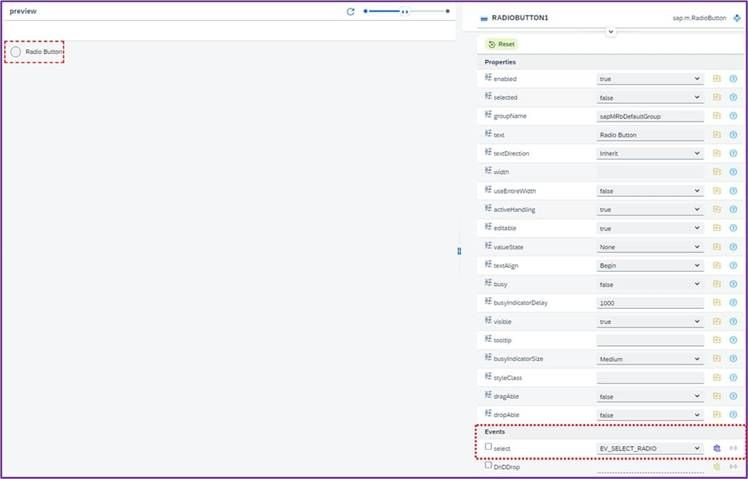
<사진 3> "RadioButton" Event Method 설정 화면
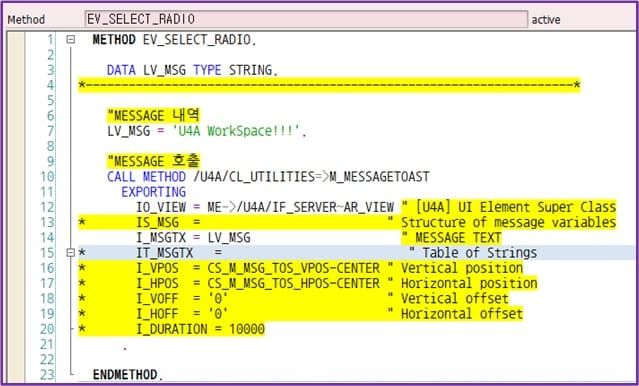
<사진 4> "RadioButton" Event Method의 메시지 출력 설정 화면
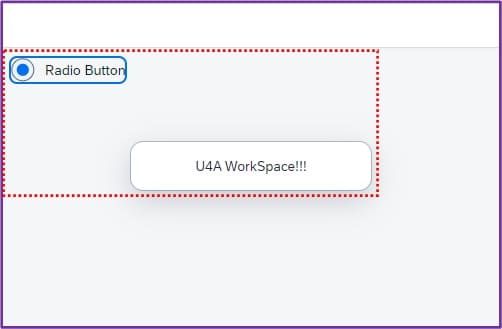
<사진 5> "RadioButton" 선택 시 메시지 출력 결과 화면