Title
목적
Chart에 Title을
추가하고 설정하는 방법을 설명
주요 단계
1. Title 추가하기

<사진 1> Title 추가 화면
2. Title Properties
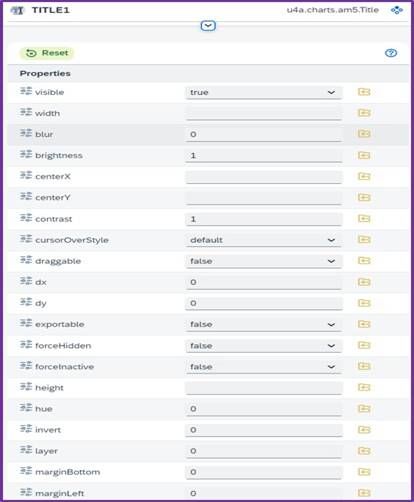
<사진 2> Title Properties
Name / Description
| Name | Description |
|---|---|
| visible | Title 표시 여부 설정 |
| centerX | 중심 X 좌표 설정 |
| x | X 좌표 설정 |
| y | Y 좌표 설정 |
| fill | Title 글자 색상 |
| fontSize | Title 글자 크기 설정 |
| fontWeight | Title 글자 두께 설정 |
| text | Title text |
3. Chart Title 적용 예시
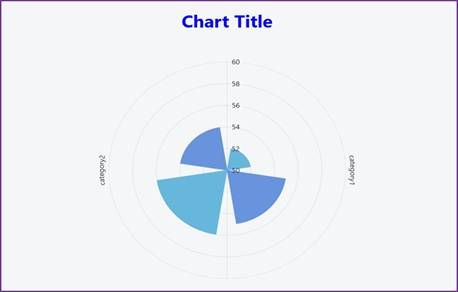
<사진 3> Chart Title 적용 화면
Properties / Value
| Properties | Value |
|---|---|
| centerX | 50% |
| x | 50% |
| fill | blue |
| fontSize | 40 |
| fontWeight | bold |
| text | Chart Title |